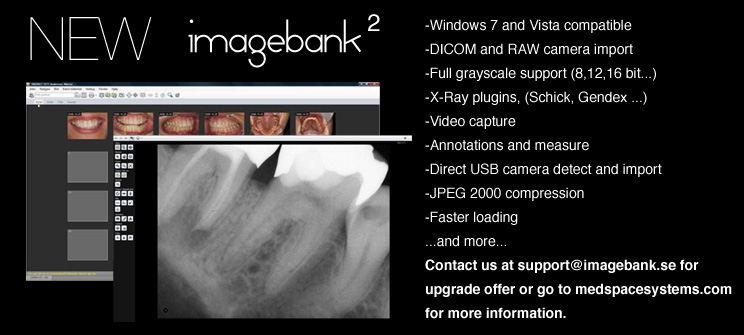
ImageBank 1.22 Upgrade. (Replaces Expired version 1.2!)
Important notice! After update, go to "Tools/Database Connection", verify the settings and press "Test Connection" and "OK". This fixes error "Keyword not supported...'".
Upgrade Instructions:
1. Download by clicking on download button.
2. Choose save and save it on a path of your choice.
3. Run the update.exe on each computer that has ImageBank installed to update to ver. 1.21
New features:
n/a
Changes:
Change in encryption method due to error with Windows Server 2008.
Bug fixes:
ImageBank looses connection to database on Windows Server 2008 (64bit).
IMPORTANT NOTICE!
Please update your Microsoft .NET Framework 1.1 to Service Pack 1. There is a bug in ver. 1.1 that causes ImageBank to a hang when closing the application. SP1 can be downloaded from Microsoft on the following adress:
http://www.microsoft.com/downloads/details.aspx?FamilyID=a8f5654f-088e-40b2-bbdb-a83353618b38&DisplayLang=en
Previous versions
1.21
New features:
Support for Alma..
Bug fixes:
ImageData folder button searches network only.
1.2
New features:
ImageBank is now MedSpace connected which allows for direct transfer of images to MedSpace. Setup wizard on first run. A new setting under tools options "Tools/Options/External Software" allows for external imaging software like Photoshop.
Bug fixes:
n/a
1.05
New features:
Import All from subdirectories. A new setting under "Tools/Options/Default Image Folder" called "Include Subdirectories". This new feature solves problems with cameras that creates new folders in the DCIM directory. This has been a problem with Canon cameras. ImageBank can now scan through subdirectories and import the images from them.
Bug fixes:
Updating image properties on more than 1 image resets the image dates.
Change status date is not possible on a single status.
1.04
New features:
n/a
Bug fixes:
Several fixes for terminal server users.
1.03
New features:
Files tab is now in a separate tab bar to the rigth.
Up/Down arrows can be used for switching between digital and files view.
E-mail support for outlook 2003
Bug fixes:
Only last four numbers were imported from Opus on Norwegian Pers.No, this is now fixed.
Import dialog falls behind imagebank window when imagebank is set to "On Top" mode, this is now fixed.
Import all causes index out of range when no default folder is selected or images is missing, this is now fixed.
1.02
New features:
Patient overview (F6) - Opens all images on current patient in a new window.
Files - New look,supports any file to patent + drag & drop.
New Drag & Drop support- Imagebank now supports drag & drop to Windows and Windows applications, MS Word, Excel etc.
Rename status i.e Change date- Change date is now possible with right click on status tab.
Use arrows to switch status - Right and Left arrow on keayboard switches status.
Updated search enging - searcing images is now much faster.
Automatic thumbnail creation - Speeds up status loading.
EXIF date on Import - ImageBank uses EXIF date on import if it is on file.
Bug fixes:
ImageBank consumes memory - this has been decreased by using thumbnails on status view.